

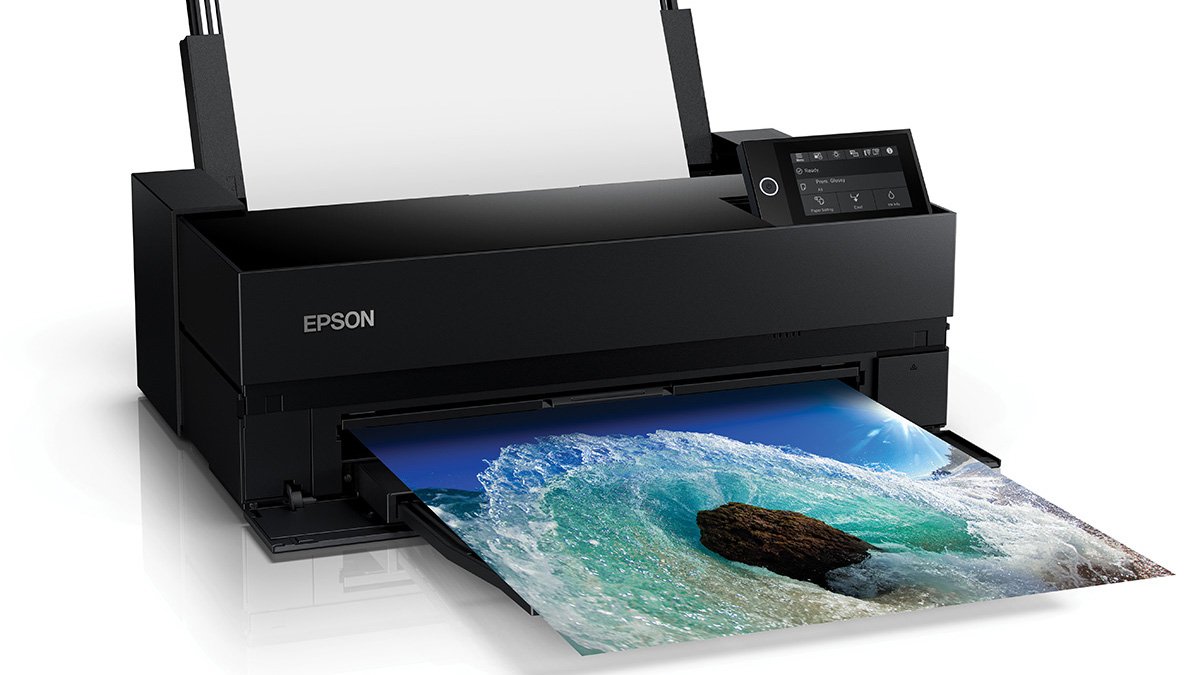
Choosing the right printer can make or break a photographer’s workflow, especially when color accuracy and print longevity matter. The epson p900 sits at the intersection of accessible home printing and professional-quality results, catering to artists, studios, and serious hobbyists who demand dependable performance. This guide explores what makes the Epson P900 a strong contender for color-critical work, from print quality to media versatility and practical setup tips.
Who should consider the Epson P900?
If you regularly create poster-size prints, fine art reproductions, or portfolio images, the Epson P900 can be a valuable addition to your workspace. It is built for users who value consistent color reproduction, smooth gradients, and the ability to handle a range of media types. While it is compact enough for a home studio, its capabilities align with expectations from more demanding setups without requiring a dedicated large-format environment.
Image quality and color performance
At the core of any high-end printer is how accurately it renders color and detail. The Epson P900 is designed to deliver rich, natural skin tones, vibrant landscapes, and precise contrast control. Expect well-balanced whites, deep blacks, and minimal banding in smooth tonal transitions. Proper profiling—using ICC profiles for your media and ink combination—will unlock the full potential of the printer and help you reproduce the look you envisioned on screen.
Media versatility and finishing options
One of the standout strengths of the Epson P900 is its ability to work with a broad selection of media. From glossy and lustre photo papers to matte fine-art papers, canvas, and specialty substrates, you can achieve a range of finishes depending on your project needs. The printer supports borderless printing on many media types, which is particularly useful for gallery-ready presentations and client proofs. For photographers who experiment with different textures, the P900’s media handling helps preserve detail and color integrity across sheets of varying thicknesses and coatings.
Ease of setup, connectivity, and workflow
Modern photographers often juggle multiple devices and software ecosystems. The Epson P900 offers flexible connectivity, typically including USB, Ethernet, and wireless options. This allows you to integrate the printer into a desktop studio, a shared workstation, or a home network with ease. On the software side, driver support for major operating systems and compatibility with common image editors streamline your printing workflow. Regular maintenance practices—such as using clean paper paths, swapping cartridges promptly, and running print-head cleanings only when necessary—help maintain consistent results over time.
Ink, longevity, and archival considerations
For many users, ink system reliability translates directly into print longevity and archival quality. The Epson P900 is designed to work with a robust ink set that emphasizes color accuracy and fade resistance. While you should always follow proper archival guidelines—such as choosing appropriate papers, storage conditions, and display environments—the printer’s ink chemistry and print engine aim to produce long-lasting photos suitable for portfolios and exhibitions.
Practical tips to maximize results
– Calibrate your monitor regularly to ensure the image you print matches what you see on screen.
– Use high-quality ICC profiles for each media and ink combination you employ.
– Print a small test strip when trying a new paper to dial in color and contrast before a full run.
– Keep the printer and ink system clean, and replace consumables according to the manufacturer’s schedule to prevent color shifts.
For more tutorials and printer guides, check the ReadsNow homepage.
 admin
admin