

In today’s fast-paced digital world, managing PDF documents efficiently has become crucial for both individuals and businesses. PDFs are the standard for sharing information securely across devices, and having the right tools can significantly impact productivity. Among the most popular PDF tools available are WPS and Adobe Acrobat. While both serve the purpose of handling PDFs, they cater to different needs, preferences, and budgets. This article delves deep into comparing WPS and Adobe Acrobat, highlighting their strengths, weaknesses, and which might be the best choice depending on your use case.
User Interface and Accessibility
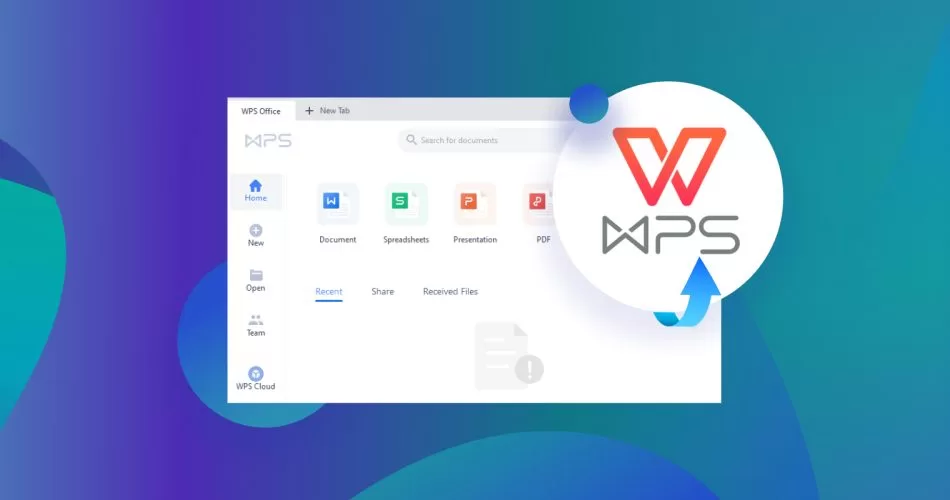
A user-friendly interface can dramatically influence how effectively one can work with PDF documents. WPS boasts a clean, intuitive design that is reminiscent of traditional office suites. Its interface is easy to navigate, with all essential features readily accessible from the main toolbar. Users who are already familiar with WPS Office will find the transition to its PDF tools seamless, allowing them to edit, annotate, or convert documents without a steep learning curve.
Adobe Acrobat, on the other hand, provides a more professional and feature-rich interface. Its dashboard includes advanced options for editing, signing, and securing PDFs. While this is advantageous for users who need comprehensive functionality, the sheer number of tools can be overwhelming for beginners. Adobe Acrobat’s interface is highly customizable, but mastering it may require some time and practice.
Editing and Annotation Capabilities
Editing PDFs is one of the most critical aspects of PDF tools. WPS offers a surprisingly robust set of editing features, including text modification, image insertion, and page rearrangement. For users who need to make quick changes to their documents, WPS provides a straightforward solution without compromising quality. Annotation tools like highlighting, underlining, and adding comments are also easily accessible, making it ideal for collaborative work or academic use.
Adobe Acrobat, however, takes PDF editing to a professional level. Its editing tools are more precise and versatile, allowing for complex text formatting, advanced image editing, and even OCR (Optical Character Recognition) for scanned documents. Adobe Acrobat’s annotation capabilities are extensive, supporting detailed comments, stamps, and even multimedia annotations, which makes it a preferred choice for corporate environments.
Conversion and Compatibility
One of the advantages of WPS is its excellent conversion capabilities. It can convert PDFs to Word, Excel, PowerPoint, and image formats quickly and with high accuracy. This flexibility is useful for students, freelancers, and small business owners who frequently need to repurpose content. WPS also ensures that the formatting of the original document is largely preserved, reducing the need for additional adjustments after conversion.
Adobe Acrobat offers conversion options as well but adds a layer of reliability and industry-standard compatibility. Converting PDFs into editable formats often retains more advanced formatting and layout features, which is critical for professional reports, legal documents, or marketing materials. Acrobat also supports batch conversion, which is useful when handling large volumes of files.
Security Features
Security is a major consideration when choosing a PDF tool, especially for sensitive documents. WPS provides basic security options such as password protection and document encryption. These features are sufficient for everyday use, such as protecting personal files or confidential reports. WPS also allows users to restrict editing or printing, offering a reasonable level of control over document sharing.
Adobe Acrobat excels in security features, offering advanced encryption, redaction tools, and digital signature integration. Users can apply certificate-based security, ensuring that sensitive data remains protected even in professional or legal contexts. Acrobat also supports compliance with industry standards, making it the preferred tool for enterprises and organizations that handle confidential information regularly.
Pricing and Value
Cost is often a deciding factor when selecting a PDF tool. WPS stands out for being highly affordable, offering a free version with essential PDF tools and a premium version at a reasonable price. This makes WPS accessible to students, freelancers, and small businesses who need capable PDF functionality without breaking the budget.
Adobe Acrobat, in contrast, comes with a higher price tag. While the subscription-based pricing provides access to the full suite of features, it can be expensive for individual users or small businesses. However, for those who require advanced capabilities, the investment in Acrobat is justified by its professional-grade tools and reliability.
Platform Availability
Another important consideration is cross-platform support. WPS is available on Windows, macOS, Android, and iOS, making it versatile for users who work across multiple devices. The cloud integration also allows users to access and edit documents from anywhere, enhancing convenience and collaboration.
Adobe Acrobat also supports a wide range of platforms, including Windows, macOS, Android, and iOS. Its cloud services, such as Adobe Document Cloud, enable seamless access and sharing of documents across devices. Acrobat’s ecosystem integration with other Adobe products further enhances its utility, especially for creative professionals and enterprises.
Performance and Speed
Performance can vary depending on the size and complexity of PDF files. WPS is lightweight and fast, handling small to medium-sized documents efficiently. Users appreciate its quick launch times and smooth operation, even on older or less powerful devices.
Adobe Acrobat, while more resource-intensive, performs exceptionally well with large and complex documents. Its advanced rendering engine ensures accurate display of graphics, tables, and fonts, which is crucial for professional documents. Acrobat may take slightly longer to load than WPS on low-spec machines, but it compensates with higher accuracy and reliability.
Customer Support and Community
Customer support and available resources can affect the overall user experience. WPS offers basic customer support and an online knowledge base. The community of WPS users is growing, and forums often provide helpful tips and solutions for common issues.
Adobe Acrobat provides extensive support options, including live chat, phone support, and a comprehensive online help center. Adobe’s long-standing presence in the market also means there is a wealth of tutorials, forums, and professional guidance available, making it easier to resolve complex issues.
Final Verdict
When comparing WPS vs Adobe Acrobat, the choice largely depends on user needs and budget. WPS is an excellent option for casual users, students, and small businesses looking for a cost-effective, intuitive, and capable PDF tool. Its combination of editing, conversion, and annotation features makes it highly practical for everyday tasks.
Adobe Acrobat, however, is the go-to choice for professionals and organizations that demand advanced editing, high-level security, and full compatibility with industry standards. While it comes at a higher cost, its feature set, reliability, and integration with other Adobe products make it a long-term investment for heavy users of PDF documents.
Ultimately, both WPS and Adobe Acrobat have carved out strong positions in the PDF tools market. Choosing between them requires balancing functionality, ease of use, budget, and professional requirements. For users seeking a lightweight, affordable solution, WPS delivers impressive value. For those needing the most comprehensive and professional PDF capabilities, Adobe Acrobat remains the industry benchmark.